Last updated: October 22, 2026
It’s 8:40 on a Monday morning. Your finance lead has three browser tabs open: the Authorize.Net merchant interface, the Stripe dashboard, and a spreadsheet that tries to stitch them together. A customer is on hold asking about a refund, and nobody can say which gateway took the original charge.
This is the problem payment gateway management software exists to fix. Once a business runs more than one gateway, or more than one merchant account on the same gateway, the native consoles stop being enough. Each one shows a slice of the truth. None of them shows the whole picture.
This buyer’s guide is written for the people who live in those consoles: payment ops leads, finance managers, and ISOs supporting merchants. We’ll cover the daily pain of juggling portals, the capabilities that actually matter, a scorecard you can use in vendor calls, the pricing models you’ll run into, and a realistic implementation plan. We’ll also be clear about where tools like Midcove fit and where they don’t, because a buying decision built on vague promises tends to go wrong around month three.
Payment gateway management software is a layer that connects to one or more payment gateways and merchant accounts (MIDs) and gives you a single place to view transactions, issue refunds, handle chargebacks, apply fraud rules, and report across all of them. It doesn’t replace your gateway or processor. It sits on top of them.
Table of Contents
- The Real Cost of Juggling Gateway Portals
- What Payment Gateway Management Software Actually Does
- Must-Have Capabilities
- Evaluation Scorecard for Vendor Calls
- Pricing Models You’ll Run Into
- Implementation Steps: From Contract to Go-Live
- Common Buying Mistakes
- Key Takeaways
- Frequently Asked Questions
- Choosing Gateway Management Software That Lasts
The Real Cost of Juggling Gateway Portals
Where the time goes
Take a home fitness equipment seller doing about 3,000 orders a month. It runs its main store through Authorize.Net on a standard MID and its financing-adjacent bundles through Stripe. Here’s where its ops team loses hours each week:
- Refund lookups. Support has to check both consoles to find the original charge before issuing a refund. Two logins, two search screens, two sets of filters.
- Chargeback deadlines. Dispute notices arrive in different places and formats. One gets missed, and the case is lost by default.
- Month-end reporting. Finance exports CSVs from each gateway, normalizes column names, and builds a pivot table.
- Fraud rules. A block list added to one gateway doesn’t exist on the other. A fraudster who’s been stopped on Stripe walks straight through on Authorize.Net.
- Access control. Contractors and part-time agents get shared logins because setting up proper roles in two systems is tedious.
None of these is a crisis alone. Together they add up to hidden payroll cost and steady small errors. Shared logins are also a security problem, since PCI DSS expects unique user IDs.
A simple test: if anyone keeps a spreadsheet just to answer “which gateway did this order go through?”, you’ve outgrown native consoles.
What Payment Gateway Management Software Actually Does
The category name gets stretched by vendors, so it helps to separate three different things that are often sold under similar labels.
| Tool type | Main job | Moves money? | Typical buyer |
|---|---|---|---|
| Payment gateway (NMI, Authorize.Net, Stripe, PayPal) | Securely passes card data to the processor and returns approvals | Yes, through its processor connection | Every merchant |
| Payment orchestration platform | Routes each transaction between providers by rules, with retries and failover | Directs traffic between providers | Enterprise merchants with high volume across regions |
| Payment gateway management software / payment CRM | Unified view and control: transactions, refunds, disputes, fraud rules, reporting, user roles | No; actions run through your existing gateways | Merchants and ISOs running several MIDs or gateways |
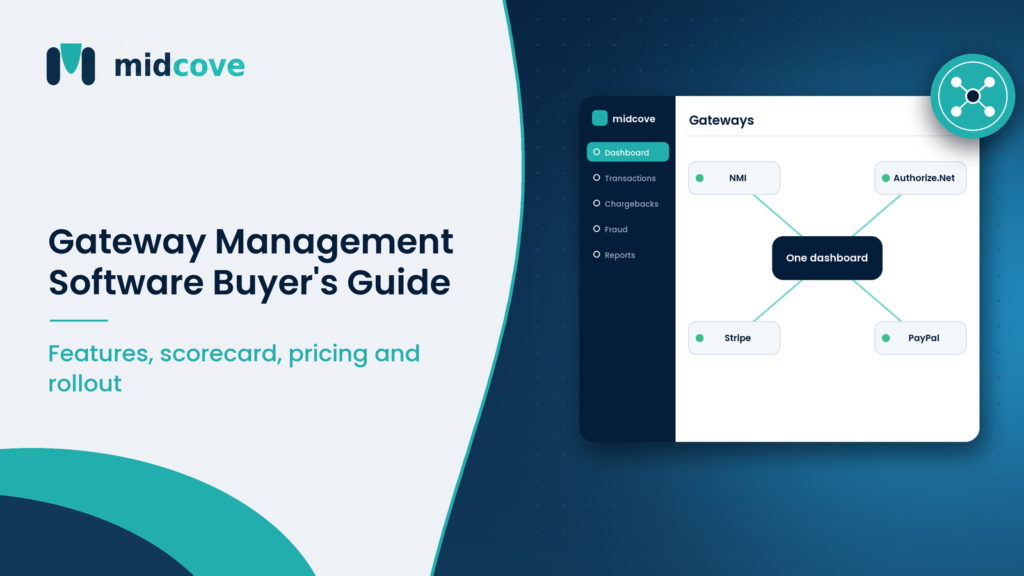
Midcove sits in the third row. It connects to the merchant accounts you already have on NMI, Authorize.Net, Stripe, or PayPal, and gives your team one place to work. It doesn’t route transactions automatically, retry failed charges, or fail over between gateways. If you need those, you’re shopping for orchestration, and our guide on payment orchestration vs payment gateway explains the difference in detail.
Many businesses with two to five MIDs don’t need automatic routing. They need visibility and control.
Must-Have Capabilities
Here’s what separates a useful management layer from a prettier version of your existing console. Treat the first five as non-negotiable.
1. Native connections to the gateways you use today
Ask exactly which gateways are supported and how. A real integration uses the gateway’s API to pull transactions and push refunds and voids. A “connector” that only imports CSV files is a reporting tool, not management software.
2. Bring-your-own merchant account
Good gateway management software works with the MIDs you already hold. You shouldn’t need a new merchant account, new underwriting, or new rates. Re-underwriting can mean new reserves and losing years of clean processing history. Read more in our explainer on what a MID is and why it matters.
3. One transaction view across every MID
Search by card last four, email, amount, or order ID across every gateway in one list, then void or refund from the same screen. Your support team will use this fifty times a day, so test it hard. A transaction management dashboard should feel faster than the gateway console, not slower.
4. Chargeback queue with deadlines
Disputes from every MID should land in one queue with the reason code, the amount, the response deadline, and a place to upload evidence. Card networks set strict response windows, and a missed deadline means an automatic loss. Visa’s own dispute resolution guidance for businesses stresses responding promptly with complete documentation.
5. Fraud rules that apply across gateways
Block lists for IP addresses, emails, phone numbers, and card BINs should work no matter which MID the order hits. Look for a lockout after repeated failed attempts, which slows card-testing bots. These rules should complement your gateway’s own fraud tools, not replace them.
6. Role-based access and cross-MID reporting
Every user should have their own login with only the permissions their job needs: refunds up to a limit for support, reports for finance, the virtual terminal for phone agents. Reporting should show approval, refund, and chargeback figures per MID and in total, with exports clean enough for your accountant.
7. Security basics you can verify
Encryption in transit and at rest, tokenized card data, and a clear statement of how the vendor fits into your PCI scope. The PCI Security Standards Council publishes the current standard, PCI DSS v4.0.1, and your vendor should be able to explain their responsibilities against it in plain terms.
Evaluation Scorecard for Vendor Calls
Bring this table to every demo. Score each line from 0 (missing) to 3 (strong), and weight the rows that matter most to your team. A vendor that scores 3 on dashboards but 0 on your actual gateway should be out of the running.
| Criteria | What to ask | Weight | Score (0–3) |
|---|---|---|---|
| Gateway coverage | “Show me a live connection to our gateway, not a slide.” | High | |
| Keeps existing MIDs | “Do we need new underwriting or a new merchant account?” | High | |
| Unified transaction search | “Find a transaction by email across two gateways right now.” | High | |
| Refunds and voids | “Does a refund go back through the original MID?” | High | |
| Chargeback workflow | “Where do deadlines show? Can we upload evidence here?” | High | |
| Fraud filters | “Do block lists apply across all MIDs? Is there a lockout?” | Medium | |
| Reporting | “Show approval rate and chargeback count by MID for last month.” | Medium | |
| User roles | “Can we limit refund permissions by role?” | Medium | |
| API and plugin | “What does the API cover? Is there a drop-in plugin?” | Medium | |
| Honest limits | “What does your product not do?” | High |
That last row is underrated. A vendor who can’t name a single limitation either doesn’t know its product or isn’t being straight with you.
Pricing Models You’ll Run Into
Management software pricing is separate from what your gateway and processor charge. That separation is the first thing to confirm. Your processing costs should stay exactly where they are.
What you already pay the gateway
For context, gateway fees vary a lot. Authorize.Net’s published gateway-only plan lists $25 per month plus 10 cents per transaction and a 10-cent daily batch fee, used with your own merchant account. Stripe’s standard US online card rate is 2.9% plus 30 cents per successful charge, which bundles gateway and processing. NMI is usually sold through ISOs and resellers, so pricing depends on your contract.
Common management software models
- Flat monthly subscription by tier. Predictable. Tiers usually scale by number of MIDs, users, or features. This is the most common model for payment CRMs.
- Per-transaction fee. Common with orchestration platforms. Cheap at low volume, expensive as you grow. Run the math at double your current volume before signing.
- Percentage of volume. Rare for management tools, and a red flag if the tool doesn’t move money. You’d be paying more as sales grow for the same software.
As a reference point, Midcove’s published plans start at $49 a month for one MID and go to $149 a month for up to five MIDs with chargeback management and the full API, with custom pricing for larger portfolios. Processing fees stay with your gateway. Whatever vendor you choose, get a written quote at your expected MID count a year from now, including setup fees, seat charges, and API limits.
Implementation Steps: From Contract to Go-Live
A management layer that works with your existing MIDs shouldn’t need a months-long project. Many merchants go live the same day. Still, a bit of planning prevents the classic first-week mess.
- Inventory your MIDs. List every merchant account, its gateway, its descriptor, and what it’s used for.
- Collect API credentials. Generate fresh API keys in each gateway for the new tool. Don’t reuse keys shared with other apps; separate keys make revocation clean.
- Name your MIDs clearly. “Stripe – Brand A – US” beats “Stripe 2.” Your team will see these names all day.
- Set up roles before inviting users. Decide who can refund, who can void, who sees reports, and who gets the virtual terminal.
- Load fraud lists. Import the block lists you’ve built in each gateway into one shared list. Remove stale entries while you’re at it.
- Run a parallel week. Keep using the native consoles while your team works in the new tool. Compare totals daily. Any mismatch is a configuration issue to fix now.
- Move chargebacks over. Once totals match, make the new queue the single place disputes get worked. Assign an owner for deadlines.
- Retire the spreadsheet. Build your month-end report from the new tool. If finance still needs the spreadsheet, find out why and close the gap.
An API or plugin integration for checkout can come later. Start with the back-office view.
Common Buying Mistakes
We’ve watched merchants buy the wrong tool for good-sounding reasons. These are the patterns to avoid.
Buying orchestration when you need visibility
A merchant with two MIDs at different brands rarely needs smart routing. Each brand’s traffic belongs on its own MID anyway. Paying per-transaction orchestration fees for routing you never use is a slow leak. A multi-gateway processing setup with manual MID selection often fits better.
Assuming a sales CRM will cover it
Salesforce and HubSpot can show that a deal closed and even trigger an invoice. They’re not built to work a chargeback queue or compare approval rates by MID. We cover this gap in payment gateway CRM vs traditional CRM.
Key Takeaways
- Payment gateway management software gives you one view and one set of controls across every gateway and MID you run.
- It’s different from orchestration: it manages, it doesn’t automatically route or retry.
- Non-negotiables: native gateway connections, bring-your-own MID, unified transaction search, a chargeback queue with deadlines, and cross-MID fraud rules.
- Score vendors on a weighted table, and always ask what their product doesn’t do.
- Prefer flat tiered pricing for a tool that doesn’t move money; model costs at next year’s MID count.
- Run a parallel week and reconcile totals before retiring native consoles.
Frequently Asked Questions
What is payment gateway management software?
It’s software that connects to your payment gateways and merchant accounts and lets you manage them from one place. Typical features include unified transaction search, refunds and voids, chargeback tracking, fraud filters, user roles, and reporting across MIDs. It works on top of your gateway rather than replacing it.
Do I need gateway management software if I only use one gateway?
Not always. With one gateway and one MID, the native console may be enough. It starts paying off when you have several MIDs on that gateway, a team that needs role-based access, or a chargeback volume large enough that deadlines slip.
Is payment gateway management software the same as payment orchestration?
No. Orchestration platforms route transactions between providers automatically, often with retries and failover. Management software focuses on visibility and control: seeing transactions, handling refunds and disputes, and applying fraud rules. Many businesses with a few MIDs only need the management side.
Will I need a new merchant account?
With a bring-your-own-MID tool, no. It connects to the merchant accounts you already have, so your rates, reserves, and processing history stay the same. Be wary of any vendor that requires you to move processing to them as a condition of using the software.
How much does payment gateway management software cost?
Pricing usually runs on monthly tiers based on MIDs, users, and features, from under $100 a month for a single MID to custom contracts for large portfolios. Your gateway and processing fees are separate and stay with your provider. Watch for setup fees, seat charges, and per-transaction add-ons.
Does gateway management software affect PCI compliance?
It can. Any tool that touches card data or the systems around it falls within your compliance picture. Ask the vendor how card data is tokenized and encrypted, which responsibilities they handle, and which stay with you. Get that answer in writing before connecting live MIDs.
Can I issue refunds from the management tool instead of the gateway?
Yes, with a properly integrated tool. The refund request is sent through the gateway’s API and processed on the original merchant account. That keeps your records clean and makes sure the money goes back through the same channel it came from.
How long does implementation take?
For a bring-your-own-MID tool, connecting gateways and inviting users can happen the same day. A careful rollout adds a parallel week to compare totals with the native consoles, plus time to set up roles and fraud lists. Checkout or API integration can follow later.
Choosing Gateway Management Software That Lasts
The right payment gateway management software makes your Monday mornings boring. Refunds take seconds. Chargeback deadlines are visible a week out. Finance pulls a report without asking anyone for a CSV. That’s the bar.
Get there by being specific. Start from the gateways and MIDs you run today, score vendors against real tasks, and ask each one what it doesn’t do. Pick a tool that keeps your merchant accounts where they are and doesn’t charge you more just because your sales grew.
Midcove was built for exactly this job: one login across NMI, Authorize.Net, Stripe, and PayPal, with your existing MIDs, rates, and history intact. If that’s the gap you’re feeling, it’s worth a look. If you need automatic routing between processors, we’ll tell you that too.
Stop juggling gateway tabs
See your transactions, refunds, chargebacks, and fraud rules across every MID in one dashboard. Bring your own merchant accounts and go live fast.