Last updated: October 21, 2026
A B2B software company had a beautiful Salesforce setup. Every deal, every renewal date, every champion’s birthday. Then a customer disputed a $14,000 annual invoice paid by card, and nobody noticed for 23 days. The dispute notice went to a shared inbox tied to the Authorize.Net account. Salesforce showed the account as “Closed Won, Paid.” By the time finance saw it, the response window was nearly gone.
That’s the gap a merchant account CRM fills. Sales CRMs track people and pipelines. They aren’t built to track what happens to money after a card is charged: which merchant account took it, whether it settled, whether it was refunded, disputed, or flagged as fraud.
This guide explains why Salesforce, HubSpot, and similar tools can’t run payment operations on their own, what a merchant account CRM actually tracks, and how each team (support, finance, risk, and leadership) uses one day to day. We build Midcove, a payment CRM, so we’ll keep the line between the two kinds of tools clear.
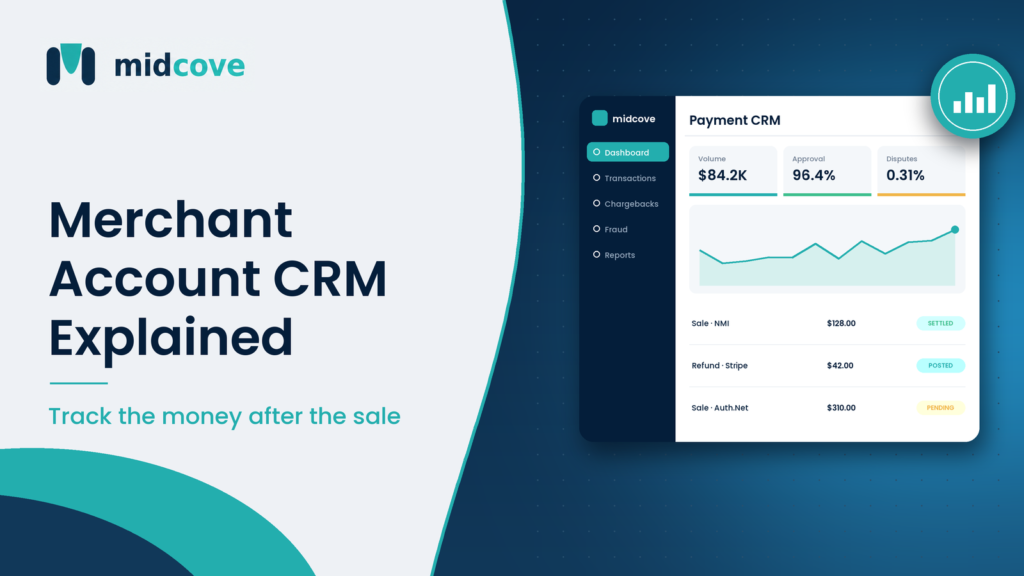
A merchant account CRM is software for managing the payment side of customer relationships: merchant accounts (MIDs), transactions, refunds, chargebacks, and fraud events. It connects to your payment gateways rather than your sales pipeline, so payment, finance, and risk teams can act on card activity from one place.
Table of Contents
Why Sales CRMs Can’t Run Payment Operations
This isn’t a knock on Salesforce or HubSpot. They do what they’re designed to do very well. The problem is that payment operations run on a different data model with different deadlines.
The data lives somewhere else
Transaction status, settlement batches, refunds, and dispute notices come from your gateway and acquirer. A sales CRM only knows what a sync or plugin pushes into it, usually a “paid” flag and an amount. When a payment changes state days later, the CRM often never hears about it.
The unit of record is different
Sales CRMs organize around contacts, companies, and deals. Payment ops organize around transactions, MIDs, and cases. One customer can have forty transactions across two merchant accounts, three refunds, and an open dispute. Forcing that into a deal record gets messy fast.
Deadlines are external and unforgiving
A sales follow-up can slide a day. A chargeback response can’t, which is why Visa’s dispute resolution guidance stresses a swift reply. Card networks and acquirers set fixed windows, and a missed one is an automatic loss of the money plus the fee. Stripe’s dispute documentation notes that the network reverses the payment immediately when a dispute opens, and a dispute fee comes out too.
Payment actions need payment controls
Refunding a card should go back through the original MID, respect limits, and leave an audit trail. Blocking a fraudulent email should apply to every gateway. Sales CRMs don’t have those controls because they’re not processing systems.
Security scope matters
Pushing card data into a sales CRM, even partial data in custom fields, can widen your PCI DSS scope. The PCI Security Standards Council requirements apply to any system that stores, processes, or transmits cardholder data. Keeping payment work in a tokenized payment tool keeps the sales CRM out of that scope.
What a Merchant Account CRM Tracks
Think of five record types. Everything else is a view on top of them.
1. Merchant accounts (MIDs)
Each MID with its gateway, descriptor, acquirer, business line, and status. If you run three MIDs, you should see volume, approval rate, refund rate, and chargeback count for each one side by side on a merchant dashboard.
2. Transactions
Every sale, authorization, capture, void, and refund, with card brand, last four, amount, AVS and CVV results, and the MID it ran through. Searchable by customer email or order number.
3. Refunds
Full and partial refunds, who issued them, why, and whether they went back through the original merchant account. Refund patterns often predict disputes, so this data matters to risk teams as much as finance.
4. Disputes and chargebacks
Each case with its reason code, amount, MID, evidence uploaded, response deadline, status, and outcome. Over time this produces win rates by reason code and by MID. For background on the lifecycle, see how chargebacks work.
5. Fraud and risk events
Blocked IPs, emails, phone numbers, and BINs; failed-attempt lockouts; and flagged transactions. Paired with chargeback ratios per MID, this gives an early warning when an account drifts toward network monitoring thresholds.
Merchant Account CRM Workflows by Team
The same data serves four teams very differently. Here’s how each one uses it.
Customer support
- Look up a caller’s charges by email or last four in seconds.
- Issue a refund within a role-based limit, routed to the right MID automatically.
- Void a duplicate charge before it settles, so the customer never sees two line items.
- Note why a refund was issued, so a later dispute has context.
Refunding a confused customer quickly is often cheaper than fighting the chargeback they’d otherwise file. A clear refund workflow lets support do that without escalating to finance.
Finance
- Each morning, review yesterday’s settlements by MID against bank deposits.
- Check refunds and chargebacks posted, with amounts and reasons.
- Export a weekly summary by merchant account for the books.
- At month end, report gross volume, refunds, chargebacks, and net by MID and gateway.
Risk and fraud
- Work the dispute queue daily, sorted by response deadline.
- Upload evidence: receipts, delivery confirmation, login logs, signed agreements.
- Watch chargeback ratios per MID. Mastercard measures a month’s chargebacks against the previous month’s transactions, while Visa uses the same month, so a sudden sales drop can push a Mastercard ratio up even if disputes stay flat.
- Add IP, email, or BIN blocks after a fraud pattern appears, once, across every gateway.
Leadership and operations
- Monthly review of approval rate, refund rate, and chargeback ratio by MID.
- Decide whether a product line belongs on its current account or needs its own.
- Control who can access what: support can refund up to a limit, contractors can view only, admins can manage MIDs.
ISOs and agents
Agents who board merchants want to see portfolio health without being in every merchant’s gateway login. A merchant account CRM with role-based access lets them help a merchant fix a rising ratio before the acquirer calls.
Sales CRM vs Merchant Account CRM
| Question | Sales CRM (Salesforce, HubSpot) | Merchant account CRM |
|---|---|---|
| Main record | Contact, company, deal | Transaction, MID, dispute case |
| Data source | Reps, forms, marketing tools | Payment gateways and acquirers |
| Typical user | Sales, marketing, account managers | Support, finance, risk, payments ops |
| Deadlines | Internal follow-ups | Network dispute windows |
| Can refund or void a card | Only through add-ons | Yes, via the original MID |
| Fraud block lists | No | Yes, across gateways |
| Per-MID chargeback reporting | No | Yes |
| Holds card data | Should not | Tokenized references only |
For a deeper comparison, including integration pitfalls, read our sibling post on payment gateway CRM vs traditional CRM.
How the Two Systems Work Together
You don’t have to pick one. Most businesses with card volume run both, each doing its job.
- Sales CRM owns the relationship. Who the customer is, what they bought, when they renew.
- Merchant account CRM owns the money movement. What was charged, on which MID, and what happened after.
- A thin sync connects them. Push key payment events (paid, refunded, disputed) back to the customer record via API or webhook so account managers see them.
In the opening example, a simple webhook that flagged “dispute opened” on the Salesforce account would have alerted the account manager on day one. The actual dispute work, evidence and deadline, would still happen in the payment tool.
A 30-Day Rollout Plan
- Week 1: Inventory. List every MID, gateway, descriptor, and the people who log into each console today.
- Week 1: Connect. Link each gateway to the merchant account CRM with API keys. Keep your existing MIDs; there’s no reason to re-underwrite.
- Week 2: Roles. Set up support, finance, risk, and admin roles. Set refund limits.
- Week 2: Fraud lists. Move existing block lists from each gateway into one shared set.
- Week 3: Disputes. Move open chargebacks into one queue. Assign an owner and a daily review time.
- Week 4: Reporting. Build the weekly per-MID summary and the monthly leadership view. Retire the old spreadsheet.
Midcove follows this pattern with merchant risk controls, role-based access, and connections to NMI, Authorize.Net, Stripe, and PayPal. It doesn’t do credit scoring or underwriting; those stay with your acquirer.
Key Takeaways
- Sales CRMs track people and deals; a merchant account CRM tracks MIDs, transactions, refunds, disputes, and fraud events.
- Payment data changes after the sale, and sales CRMs rarely hear about it.
- Chargeback deadlines are set by card networks, so disputes need a dedicated queue.
- Support, finance, risk, and leadership each need different views of the same payment data.
- Keep card data out of your sales CRM to avoid widening PCI scope.
- Run both systems and sync key payment events back to the customer record.
Frequently Asked Questions
What is a merchant account CRM?
It’s software that manages the payment side of your business: merchant accounts, transactions, refunds, chargebacks, and fraud events. It connects to your gateways instead of your sales pipeline and gives support, finance, and risk teams one place to act on card activity across every MID you run.
Can HubSpot or Salesforce manage chargebacks?
Not natively. You can log a dispute as a task or custom object, but these tools don’t receive dispute notices from your gateway, track reason codes, or manage evidence and network deadlines. Most businesses handle chargebacks in a payment tool and sync a status back to the sales CRM.
Do I need a merchant account CRM if I already have a CRM?
If you run more than one MID, share refunds and disputes across several people, or have missed a dispute deadline, probably yes. Your existing CRM still handles sales and relationships. The merchant account CRM handles what happens to payments after the sale.
What data should a payment CRM track?
At minimum: each merchant account and its gateway, every transaction with status and MID, refunds with reasons, chargebacks with reason codes and deadlines, and fraud events such as blocked IPs, emails, and BINs. Reporting on approval rate, refund rate, and chargeback ratio by MID builds on that.
Is it safe to store card details in a sales CRM?
Generally no. Storing card numbers in a sales CRM pulls it into PCI DSS scope and raises breach risk. Keep card data in your gateway’s vault or a tokenized payment tool, and only pass non-sensitive status information like “paid” or “refunded” to the sales CRM.
How does a merchant account CRM help reduce chargebacks?
It surfaces disputes quickly, tracks deadlines, organizes evidence, and shows patterns by reason code and MID. Support can refund unhappy customers before they dispute, and risk teams can block repeat fraud across all gateways. Together, these lower both dispute counts and losses.
Can a merchant account CRM connect to multiple gateways?
Many do. Look for native support for each gateway you use, such as NMI, Authorize.Net, Stripe, or PayPal, so transactions, refunds, and disputes from all of them appear in one dashboard under one login.
Who in a company uses a merchant account CRM?
Customer support uses it for lookups and refunds, finance for settlements and reporting, risk teams for disputes and fraud rules, and leadership for monthly health checks by MID. ISOs and agents may also use it to monitor merchants they’ve boarded.
Is a merchant account CRM the same as a payment gateway?
No. The gateway transmits transactions for authorization. A merchant account CRM sits on top of one or more gateways and manages the records and actions around those transactions. Payments still process through your gateway and acquirer.
Close the Gap After the Sale
Your sales CRM tells you who your customers are. It doesn’t tell you that a $14,000 payment is being clawed back, that one MID’s chargeback ratio doubled last month, or that the same card tester has hit two gateways this week. A merchant account CRM does, and it gives each team a clear job: support refunds fast, finance reconciles by MID, risk works the dispute queue before deadlines pass.
Keep the sales CRM. Add the payment layer next to it, and sync the few events account managers need to see.
Midcove is that payment layer for businesses on NMI, Authorize.Net, Stripe, or PayPal. Explore the Midcove payment CRM to see how it fits next to the tools you already use.
Give payments their own system of record
Track every MID, transaction, refund, and dispute in one place, alongside the CRM your sales team already loves.