Last updated: November 1, 2026
Most fraud doesn’t arrive as a clever scheme. It arrives as the same IP address trying a fourth card, the same throwaway email domain placing its ninth order, or a run of cards from one prepaid range that all charge back six weeks later. Fraud filters exist to catch those repeats before they cost you money.
The trouble is that a block list is a blunt tool. Block the wrong IP range and you turn away a whole office building. Block a BIN and you may lose every honest customer whose bank issued cards from it. We’ve watched merchants swing between both mistakes: no rules at all for months, then a panicked rule set after one bad weekend that quietly kills 4% of good orders.
This guide walks through the four block lists most merchants actually use (IP, email, phone, and BIN), how each one works, where each one misfires, and how to build and maintain a rule set that stays useful. We’ll also be clear about where a tool like Midcove fits next to the fraud tools your gateway already gives you.
Fraud filters are rules that check each payment attempt against known risk signals, such as the buyer’s IP address, email, phone number, or card BIN, and then block, flag, or allow it. They work best as narrow, evidence-based block lists that sit in front of your gateway’s own fraud scoring, not as a replacement for it.
Table of Contents
What Fraud Filters Actually Do
A fraud filter is a condition plus an action. The condition looks at one attribute of a payment attempt. The action decides what happens next: block it outright, hold it for review, or let it through and log it.
Gateways already run their own risk models: Stripe has Radar, Authorize.Net has its Advanced Fraud Detection Suite, and PayPal scores transactions on its side. Those models see network-wide patterns you can’t. What they don’t see is your history, like the email behind last month’s fraud chargeback.
Merchant-level block lists fill that gap with what you’ve learned about your own customers. Stripe’s own documentation on Radar lists describes the same idea: allow and block lists built from attributes like email, IP, and card fingerprint, maintained by the merchant.
Block, review, or allow
Every rule needs a clear action. Use these three as defaults:
- Block: for attributes tied to confirmed fraud or abuse, like an email that filed a fraud chargeback.
- Review: for signals that are suspicious but common among good customers, like a prepaid card on a high-ticket order.
- Allow: for known-good customers who keep tripping other rules, like a corporate buyer behind a shared VPN.
Most merchants overuse “block.” A review queue costs staff time, but a false decline costs the sale and often the customer.
IP Address Blocking
IP blocking stops payment attempts from a specific address or range. It’s the oldest fraud filter and still the fastest way to shut down a single bad actor who keeps hammering your checkout.
When IP blocking works
Picture an online sneaker shop that sees 40 failed attempts in ten minutes, all from one IP, each with a different card. Blocking that IP stops the bleeding right away.
Where IP blocking misfires
IP addresses are less personal than they look. Several things weaken them:
- Shared addresses: mobile carriers and office networks put thousands of users behind one public IP.
- VPNs and proxies: fraudsters rotate them in seconds, while honest privacy-minded customers use the same providers.
- Dynamic assignment: home broadband addresses change, so today’s blocked IP may be a neighbor’s next month.
The practical rule: block single IPs tied to confirmed abuse, and set those blocks to expire. Avoid blocking whole ranges or countries unless you truly don’t sell there.
Email Blocking
Email blocking stops attempts that use a specific address or domain. Because customers reuse emails across orders, it’s one of the better signals for repeat abuse.
Address-level blocks
Take a meal-kit subscription brand that keeps seeing “item not received” disputes from the same buyer, who reorders under new cards. The card changes; the email often doesn’t. Blocking that exact address stops the cycle. Remember that people add dots or plus-tags (name+promo@…) to vary an address, so normalize before you compare if your tools allow it.
Domain-level blocks
Disposable email services generate inboxes that vanish after an hour. Blocking known disposable domains is reasonable for many stores. Blocking a major free provider is not. You’d cut off a huge share of real buyers to stop a few bad ones.
Phone Number Blocking
Phone blocking matters most for merchants who take orders by phone or require a phone number at checkout. It’s harder for fraudsters to rotate real numbers than emails, which makes a confirmed bad number a fairly durable signal.
Consider a Dubai-based electronics reseller that takes call-in orders through a virtual terminal. A caller who used stolen cards twice gives the same mobile number each time because he wants delivery updates. Blocking that number catches him even when he switches cards and names.
The weak spots are cheap VoIP numbers and shared landlines. Treat a phone match as strong evidence when paired with another signal, and as a review trigger alone.
BIN Blocking
The BIN (bank identification number) is the first digits of a card number. It identifies the issuing bank, card type, and country. Visa and Mastercard have moved to 8-digit BINs, so check whether your tools match on 6 or 8 digits.
Legitimate reasons to block a BIN
- A specific prepaid BIN accounts for most of your fraud chargebacks over the last 90 days.
- A card testing run used card numbers that all start with the same BIN.
- You legally can’t or don’t sell to cardholders from a certain issuing country.
The cost of BIN blocking
One BIN can cover hundreds of thousands of cardholders. If a gift shop blocks a BIN because three fraud orders came from it, it may lose far more in good sales than it saved. Before you block, pull the numbers: how many approved, undisputed orders came from that BIN in the same period? If good orders outnumber bad ones by a wide margin, a review rule is the better choice.
A specialty coffee roaster we’ll use as an example found that 70% of its fraud disputes came from two prepaid BINs. It blocked those two for orders over $150 only. Fraud dropped sharply, and small sample-pack orders on those cards kept coming through.
Fraud Filters Compared
| Filter | Best for | Main false-positive risk | How long blocks should last |
|---|---|---|---|
| IP address | Stopping a live attack from one source | Shared mobile and office IPs, VPN users | Days to weeks, then expire |
| Repeat abusers and serial disputers | Blocking whole free-mail domains | Long-term for confirmed fraud | |
| Phone | Phone and MOTO orders, repeat callers | Shared landlines, recycled numbers | Months, reviewed periodically |
| BIN | Card testing runs, high-fraud prepaid ranges | Blocking thousands of honest cardholders | Short-term or amount-limited |
| Failed-attempt lockout | Card testing and brute-force guessing | Customers who mistype card details | Hours (e.g., 24), then auto-release |
How to Build a Fraud Filter Rule Set
A good rule set starts small and grows from evidence. Here’s the sequence we recommend.
- Pull 90 days of disputes and refunds. Tag each one: true fraud, friendly fraud, service issue, or unknown. Only true fraud and confirmed abuse should drive block rules.
- Look for repeats. Group the fraud cases by IP, email, phone, and BIN. Any attribute that appears more than once is a candidate.
- Check the good-order side. For each candidate, count clean orders with the same attribute. This tells you what a block would cost.
- Pick the action. Block where the attribute has no clean history. Review where it’s mixed. Allow-list known good buyers who’d otherwise get caught.
- Add a failed-attempt lockout. Repeated declines from one source in a short window are the clearest sign of card testing. A temporary lockout handles it without a permanent block.
- Document and date every rule. A one-line reason (“fraud chargeback, order #18234”) and a review date stop rules from becoming permanent by accident.
Layering with your gateway
Your block lists should sit next to the gateway’s scoring, not duplicate it. Focus them on what only you know. Stripe’s guide to writing Radar rules is a good model for thinking in conditions and actions, even if you run a different gateway.
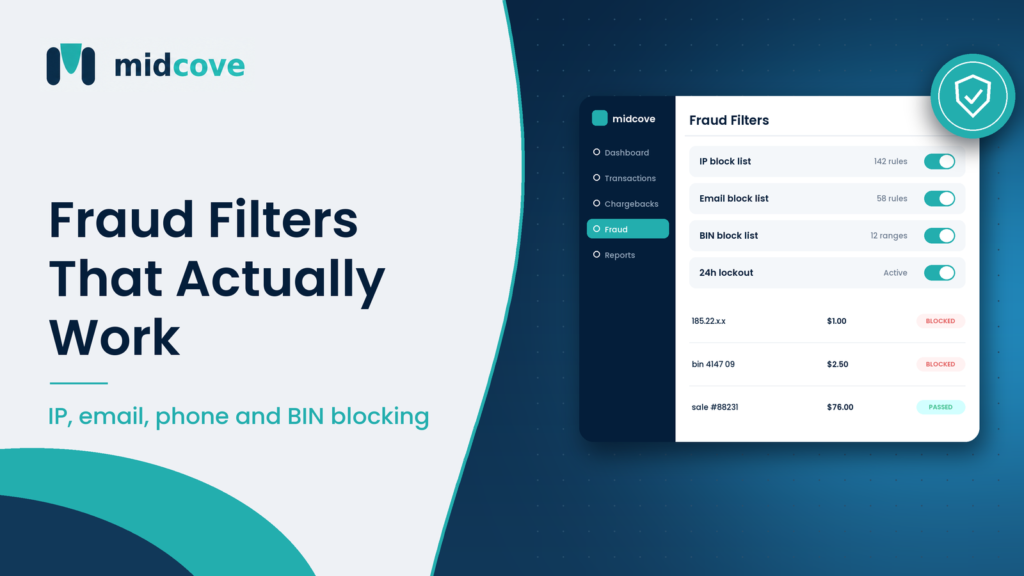
If you run several merchant accounts, this is where things get messy. Each gateway has its own block list, and a fraudster banned on your Stripe account can walk straight into your NMI checkout. A shared list across MIDs closes that gap. Midcove’s payment fraud prevention tools keep IP, email, phone, and BIN block lists in one place across every connected gateway, with an automatic 24-hour lockout after repeated failed attempts. They run alongside the gateway’s own fraud tools rather than replacing them.
Managing False Positives
False positives are the hidden cost of fraud filters. A blocked fraudster shows up in your reports as a win. A blocked good customer usually shows up as nothing at all. They leave, and you never learn why.
Signs your filters are too tight
- Your approval rate dropped after a new rule, but fraud disputes were already low.
- Customers say “my card keeps getting declined” while their bank says the card is fine.
- Staff approve almost every order in the review queue.
How to measure them
Sample blocked attempts each week. Look at ten or twenty and ask: would we have shipped this if a person had looked at it? If the answer is often yes, loosen the rule or move it from block to review. Track your approval rate per MID in a transaction dashboard so a sudden drop after a rule change is easy to spot.
Keep fraud in context, too. The Federal Reserve Payments Study tracks card fraud alongside payment volumes, and card-not-present payments consistently carry more fraud than in-person ones. That’s a reason to be careful online, not to treat every buyer as a suspect.
A Weekly and Monthly Maintenance Routine
Fraud filters decay as IPs get reassigned and fraud rings move to new BINs. A light routine keeps them honest.
Weekly (30 minutes)
- Review new fraud disputes and add confirmed attributes to block lists.
- Sample blocked attempts for false positives.
- Check lockout events. A spike may mean card testing; see our guide to card testing attacks.
Monthly (1–2 hours)
- Expire or remove IP blocks older than your set window.
- Re-run the BIN analysis: are blocked BINs still producing fraud?
- Compare approval rate and fraud dispute rate before and after rule changes.
- Confirm the same lists apply across every gateway and MID you run.
Fraud filters are one layer. Address and security-code checks catch different problems (see our guide to AVS and CVV checks), and since many fraud cases end as disputes, read up on reducing chargebacks too.
Key Takeaways
- Fraud filters encode what you know about your own customers; your gateway’s risk model covers what it sees across the network.
- IP blocks are good for stopping a live attack but should expire, because IPs are shared and reassigned.
- Email and phone blocks are durable signals for repeat abusers, especially on phone and MOTO orders.
- BIN blocks are powerful and costly; check how many good orders a BIN produces before blocking it.
- Use “review” more often than “block” for mixed signals, and give every rule a reason and a review date.
- Merchants with several MIDs need one shared block list, or banned buyers just switch checkouts.
Frequently Asked Questions
What are fraud filters in payment processing?
Fraud filters are rules that check each payment attempt against risk signals such as IP address, email, phone number, card BIN, or the number of recent failed attempts. Each rule has an action: block the payment, send it for manual review, or allow it. They sit alongside the fraud scoring your gateway or processor already runs.
Is IP blocking effective against payment fraud?
It’s effective against a single source attacking your checkout right now, such as one address cycling through stolen cards. It’s weak as a long-term defense because fraudsters rotate VPNs and proxies, and because many real customers share IPs through mobile carriers or offices. Block confirmed bad IPs and let those blocks expire.
Should I block all prepaid cards?
Usually not. Prepaid cards carry higher fraud risk in some industries, but many honest customers use them, including people without traditional bank accounts and gift card recipients. A better approach is to review prepaid cards on high-value orders or block only the specific prepaid BINs that show up repeatedly in your own fraud data.
What is BIN blocking?
BIN blocking rejects cards whose number starts with a specific bank identification number. Because the BIN identifies the issuer, card type, and country, it can stop a card testing run or a high-fraud prepaid range in one rule. The risk is that a single BIN can cover a very large number of legitimate cardholders.
How do I know if my fraud filters are blocking good customers?
Watch for an approval rate drop after a rule change, complaints from customers whose banks say the card is fine, and a review queue where staff approve nearly everything. Sample blocked attempts weekly and ask whether a human would have approved them. If many would pass, loosen the rule.
Do I still need fraud filters if my gateway has fraud tools?
Yes, in most cases. Gateway tools see network-wide patterns, but they don’t know your own history, like which customer filed a fraud chargeback last month. Merchant-level block lists add that knowledge. Keep your rules narrow and avoid duplicating what the gateway already screens.
How often should I update my block lists?
Add confirmed fraud attributes weekly, as disputes come in. Expire IP blocks on a set schedule, often after a few weeks. Review BIN and phone blocks monthly, and audit who can change rules every quarter. Lists that never change start blocking the wrong people over time.
What is a failed-attempt lockout?
A failed-attempt lockout temporarily blocks a source after several declined payment attempts in a short window. It targets card testing, where bots try many card numbers quickly. A 24-hour lockout stops the attack without permanently banning a customer who simply mistyped their card number a few times.
Keeping Your Filters Sharp
Good fraud filters are narrow, documented, and reviewed. Block what your own data proves is bad, review what’s mixed, and let the gateway’s models handle the patterns you can’t see. Give IP blocks an expiry date, check the good-order cost before blocking a BIN, and sample your blocked attempts so false positives don’t hide in the numbers.
The hardest part for most teams isn’t writing rules. It’s keeping them consistent across several gateways and MIDs. Midcove keeps one set of IP, email, phone, and BIN block lists across NMI, Authorize.Net, Stripe, and PayPal, plus an automatic lockout after repeated failures, so a fraudster blocked in one place is blocked everywhere you process. For a broader view of operational controls, see our merchant risk management page.
One block list for every gateway you run
See how Midcove applies IP, email, phone, and BIN filters across all your merchant accounts, on top of the MIDs you already have.