Last updated: October 17, 2026
It’s the 28th of the month. Your finance lead has three browser tabs open: the Authorize.Net console, the PayPal business dashboard, and a spreadsheet that’s supposed to tie them together. A customer calls about a double charge. A chargeback notice lands in an inbox nobody checks on Fridays. Nobody can say, with confidence, what last week’s approval rate was.
That’s the gap a payment gateway CRM is built to close. Gateways are very good at one job: moving an authorization from your checkout to the card networks and back. They’re not built to run the daily work that happens around those payments, like refunds, disputes, fraud rules, reporting, and who on your team is allowed to touch what.
This guide explains what a payment gateway CRM is, how it differs from a gateway console and from a sales CRM like Salesforce, which features actually matter, who needs one, and how to evaluate vendors without getting sold a platform you don’t need. We build Midcove, a payment gateway CRM, so we’ll also be clear about where tools like ours stop.
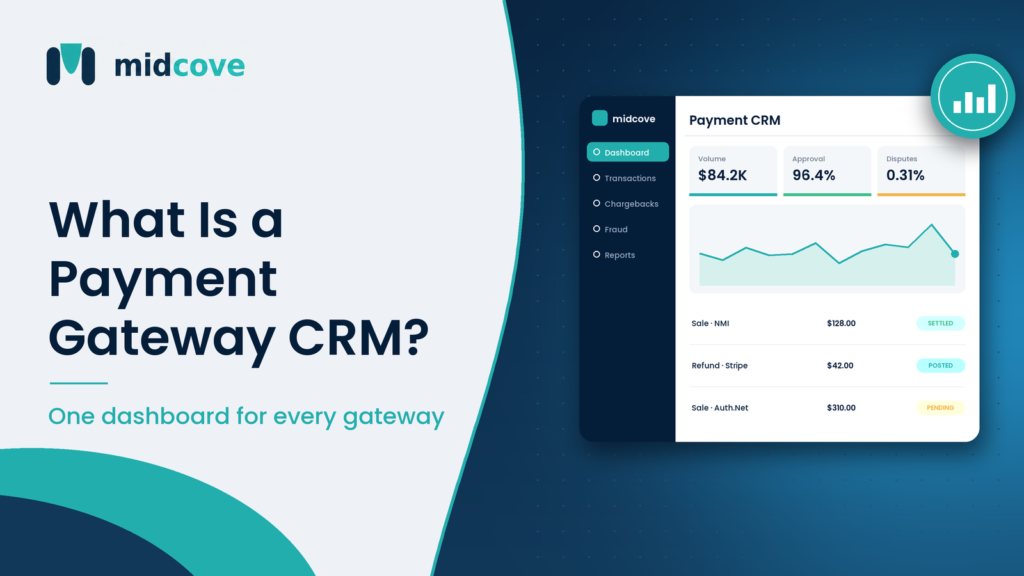
A payment gateway CRM is software that sits on top of your existing payment gateways and merchant accounts (MIDs) and gives you one place to manage transactions, refunds, chargebacks, fraud rules, reporting, and team access. It doesn’t process payments itself. Your gateway and processor still do that.
Table of Contents
What Is a Payment Gateway CRM?
A payment gateway CRM is an operations layer for card payments. It connects to the gateway accounts you already use, pulls in transaction and dispute data, and lets your team act on it from one dashboard. Think of it as the control room, while the gateway is the engine.
The “CRM” part can be confusing. In sales, CRM means tracking leads and deals. In payments, the relationship being managed is between your business, your merchant accounts, and the cardholders who pay you. The records are transactions, refunds, disputes, and risk events instead of contacts and opportunities.
Where it sits in the payment stack
Picture the flow of a single card payment:
- The customer enters card details at your checkout, or an agent keys them into a virtual terminal.
- The gateway (NMI, Authorize.Net, Stripe, PayPal) encrypts and sends the request.
- The processor and acquiring bank route it through Visa, Mastercard, or another network to the issuer.
- The issuer approves or declines, and the answer flows back.
- Funds settle to your merchant account (MID) in a batch.
A payment gateway CRM sits beside steps 2 and 5. It reads what happened, gives you tools to act on it (refund, void, flag, dispute), and sends those actions back through the right gateway. The money never passes through the CRM.
Payment Gateway CRM vs Gateway Console vs Sales CRM
Most teams already have two of these three tools. The question is whether the gaps between them are costing you time or money.
The gateway console
Every gateway ships with an admin portal. The Authorize.Net Merchant Interface, the NMI control panel, and the Stripe Dashboard all let you search transactions, issue refunds, and pull reports. They’re solid for one account.
The trouble starts with the second account. Each console has its own login, report format, and refund screen. Run Stripe for subscriptions and NMI for high-ticket orders, and no native view shows both.
The sales CRM
Salesforce, HubSpot, and Zoho are built around people and pipelines. You can bolt a payment app onto them, and many businesses do, to send invoices or log a “paid” status. But a sales CRM doesn’t know what a chargeback reason code is, can’t track a dispute response deadline, and has no idea which MID a transaction ran through.
Side-by-side comparison
| Capability | Gateway console | Sales CRM | Payment gateway CRM |
|---|---|---|---|
| Process the payment | Yes | Via plugin | No, routes the request to your gateway |
| View transactions across multiple gateways | No, one account each | Partial, if synced | Yes |
| Chargeback queue with deadlines | Basic, varies by gateway | No | Yes |
| Fraud block lists across all MIDs | Per gateway | No | Yes, shared lists |
| Approval rate and refund reporting by MID | Per gateway | No | Yes |
| Lead and deal tracking | No | Yes | No |
| Role-based access for payment actions | Varies | Not payment-specific | Yes |
The short version: a sales CRM manages who might pay you, a gateway console manages one pipe, and a payment gateway CRM manages all the pipes after the money starts moving. For a deeper look at the sales-side split, see our sibling guide on what a merchant account CRM tracks.
Core Features of a Payment Gateway CRM
These are the features that actually change how a payments team works day to day.
Unified transaction dashboard
Search by card last four, email, amount, or order ID across every connected gateway. Sort by status. Void an unsettled sale or refund a settled one without logging into a second portal. This alone usually saves a support team hours a week.
Virtual terminal
Phone and mail orders still matter for B2B, travel, healthcare, and high-ticket retail. A virtual terminal for card-not-present payments lets an agent key in a card with AVS and CVV checks, and pick which MID to charge.
Chargeback management
Disputes have hard deadlines set by the networks and your acquirer, and missing one is an automatic loss. A proper chargeback module gives you real-time alerts, one queue across gateways, evidence upload, deadline tracking, and win-rate reporting. Visa’s own dispute resolution guidance stresses that a swift response is the merchant’s best path.
Refund management
Full and partial refunds should route back through the original MID automatically. Refunding through the wrong account creates reconciliation messes and, worse, can leave a customer double-credited or not credited at all.
Fraud prevention controls
Look for block lists by IP, email, phone, and BIN that apply across every MID, plus velocity controls such as a temporary lockout after repeated failed attempts. These should work alongside your gateway’s own tools, like Stripe Radar or Authorize.Net’s fraud filters, not replace them.
Reporting
Volume, approval rate, refund rate, and chargeback count by MID and by gateway, with exports for finance. Card network monitoring programs measure each merchant account separately, so per-MID reporting isn’t a nice-to-have. Stripe’s documentation on card network monitoring programs notes that Visa calculates ratios against same-month transactions while Mastercard uses the prior month’s count.
Role-based access and security
Your support agent should be able to refund up to a limit. Your contractor shouldn’t see full reporting. Look for granular roles, encryption in transit and at rest, and tokenized card data so raw card numbers never sit in the CRM.
API and plugins
A unified REST API lets developers write one integration instead of four. A drop-in plugin covers stores that don’t have a dev team.
Who Needs a Payment Gateway CRM?
Not everyone. A single-location bakery on one Stripe account is probably fine with the Stripe Dashboard. The need grows with complexity, not just volume.
Clear signs you’ve outgrown gateway consoles
- You run two or more MIDs, on the same gateway or different ones.
- More than two people touch refunds or disputes.
- You’ve missed a chargeback deadline in the last six months.
- Month-end reconciliation involves copying CSVs into a master sheet.
- You take phone orders and card details end up on sticky notes or in email.
Typical users
E-commerce brands with multiple MIDs. A home fitness equipment seller might run Authorize.Net for its main store and PayPal for a marketplace channel. A single view of refunds and disputes keeps the ops team from working two queues.
Card-not-present service businesses. A Dubai tour operator taking phone deposits needs a secure virtual terminal more than a cart.
Higher-risk verticals. Merchants under closer acquirer scrutiny need tight chargeback tracking and fraud controls on every account.
ISOs and resellers. Agents who board merchants onto NMI or Authorize.Net want visibility across a portfolio and fewer support calls. See our tools for ISOs and resellers page for that use case.
What a Payment CRM Does Not Do
This is where vendor pages tend to blur lines, so let’s be plain about it.
A payment gateway CRM is not a processor or acquirer. It doesn’t hold funds, underwrite merchants, or set your rates. Your processing fees stay with your gateway and processor.
Many payment CRMs are also not payment orchestration platforms. Orchestration tools automatically route each transaction across providers based on rules or machine learning, retry soft declines, and fail over during outages. Some payment CRMs, Midcove included, deliberately don’t do this. You choose which MID to charge, and the CRM manages everything after. If you need automatic routing, read our breakdown of payment orchestration software before you buy anything.
This split matters for budget. Plenty of mid-sized merchants pay for orchestration they never configure, when they needed one dashboard and one dispute queue.
How to Evaluate a Payment Gateway CRM
Run every vendor through the same steps. It takes a week, not a quarter.
- List your gateways and MIDs. Write down every account, the gateway it runs on, and its monthly volume. Confirm the vendor supports each gateway natively, not “via custom integration.”
- Ask whether you keep your MID. A CRM that requires a new merchant account means new underwriting, possibly a reserve, and a reset processing history. Prefer tools that connect to the MIDs you already have.
- Map your three worst workflows. Usually chargebacks, refunds, and month-end reporting. Ask the vendor to demo those exact flows with realistic data.
- Check fraud controls against your gateway’s. Find out which controls are shared across MIDs and which stay gateway-specific. Overlap is fine. Gaps are not.
- Review security and PCI scope. Ask how card data is stored (tokenized or not) and what the vendor’s own PCI DSS status is. The PCI Security Standards Council publishes the current standard and SAQ guidance.
- Test roles and permissions. Create a support role, a finance role, and an admin role in the trial. Try to break them.
- Price it at your real scale. Count MIDs, users, and API needs. Check what’s in each tier rather than the headline price.
Questions to put to every vendor
- Do you process payments, or do you sit on top of my gateway?
- Will my existing MIDs, rates, and history carry over unchanged?
- Do you automatically route between gateways, or do I pick the MID?
- How fast do chargeback alerts appear after the gateway reports them?
- Can I export everything if I leave?
For a side-by-side of the four main gateways themselves, our NMI vs Authorize.Net vs Stripe vs PayPal comparison covers fees and fit.
Key Takeaways
- A payment gateway CRM manages payments after they’re processed. Your gateway and processor still move the money.
- It differs from a gateway console (one account, one view) and a sales CRM (leads, not transactions).
- The features that matter most are a unified transaction view, chargeback deadlines, shared fraud block lists, and per-MID reporting.
- You likely need one once you run two or more MIDs, share payment work across a team, or take phone orders.
- Not every payment CRM does automatic routing or failover. Know whether you need orchestration before you pay for it.
- Prefer tools that connect to your existing MIDs so you avoid re-underwriting.
Frequently Asked Questions
What is the difference between a payment gateway and a payment CRM?
A payment gateway transmits card data to the processor and returns an approval or decline. A payment CRM sits on top of one or more gateways and manages what happens next: searching transactions, issuing refunds, handling chargebacks, applying fraud rules, and reporting. The gateway processes; the CRM organizes and controls the work around processing.
Can I use Salesforce or HubSpot as a payment CRM?
You can connect payment apps to them for invoicing and “paid” status, but they aren’t built for payment operations. They don’t track chargeback reason codes, dispute deadlines, per-MID ratios, or BIN blocks. Most businesses keep their sales CRM for pipeline and add a payment-specific tool for operations.
Does a payment gateway CRM replace my merchant account?
No. A good payment CRM connects to the merchant account you already have. You keep your MID, your rates, and your processing history. If a vendor requires you to open a new merchant account to use its software, you’re buying a different kind of product.
Which gateways work with a payment gateway CRM?
It depends on the vendor. Common integrations include NMI, Authorize.Net, Stripe, and PayPal. Always confirm native support for each gateway you use, and ask what data syncs: transactions only, or also settlements, disputes, and refunds.
Is a payment gateway CRM PCI compliant?
Compliance depends on the vendor and on how you use it. Look for tokenized card storage, encryption in transit and at rest, and a current attestation from the vendor. Your own PCI DSS obligations still apply, though using tokenized tools can reduce how much card data touches your systems.
Do I need a payment CRM if I only have one MID?
Often not, if one or two people handle everything and your gateway’s dashboard covers your needs. It starts to pay off when you add a second MID, share payment work across roles, take phone orders, or need stronger chargeback tracking than your gateway offers.
Does a payment CRM route transactions automatically?
Some do, most don’t. Automatic routing, retries, and failover are features of payment orchestration platforms. Many payment CRMs let you choose the MID for each charge manually and then manage everything after. Ask each vendor directly so you don’t pay for routing you won’t use.
How long does it take to set up a payment gateway CRM?
When the tool connects to existing gateway accounts with API credentials, setup can take hours rather than weeks. Plugin installs are faster than custom API work. Plan extra time for role setup, fraud rule migration, and training your support team.
How much does a payment gateway CRM cost?
Pricing is usually a monthly subscription tiered by number of MIDs, features, and API access. Midcove’s Starter plan, for example, is $49 a month for one MID, and multi-MID plans with chargeback tools cost more. Processing fees stay with your gateway.
From Five Tabs to One Queue
The real test of a payment gateway CRM isn’t the feature list. It’s whether your team stops switching between consoles to answer simple questions. Which refunds went out yesterday? Which disputes are due this week? Which MID is drifting toward a chargeback threshold?
If those answers live in three portals and a spreadsheet, you’ve outgrown gateway consoles. List your MIDs and your three most painful workflows, then make vendors demo exactly those.
Midcove was built for this layer. It connects to the NMI, Authorize.Net, Stripe, or PayPal accounts you already have, keeps your rates and history intact, and gives your team one place for transactions, chargebacks, refunds, fraud controls, and reporting. It doesn’t route payments for you, and it’s upfront about that. You can see the full payment CRM feature set before you talk to anyone.
See your gateways in one dashboard
Connect the MIDs you already have and manage transactions, disputes, and fraud rules from one login. Most merchants go live the same day.