Last updated: October 18, 2026
An online furniture retailer has processed on the same NMI merchant account for six years. Its chargeback ratio sits well under 0.5%, its acquirer released the reserve years ago, and its rates were renegotiated twice. Then the owner signs up for a shiny new payments platform, and the onboarding form asks for bank statements, three months of processing history, and a signature on a new merchant agreement.
That’s the moment to stop. Signing means starting over with a new acquirer that has never seen your history. Bring your own MID is the opposite approach: the software connects to the merchant account you already have, and nothing about your underwriting changes.
This guide explains what “bring your own MID” means, why opening a new merchant account to use a piece of software can hurt, how BYO-MID platforms technically connect to your gateway, and the risks and questions to raise before you hand over API credentials. It’s written for owners, finance leads, and ops managers who’ve been asked to “just sign up” for something new. (Midcove works on this model, so we’ll flag where the approach has limits too.)
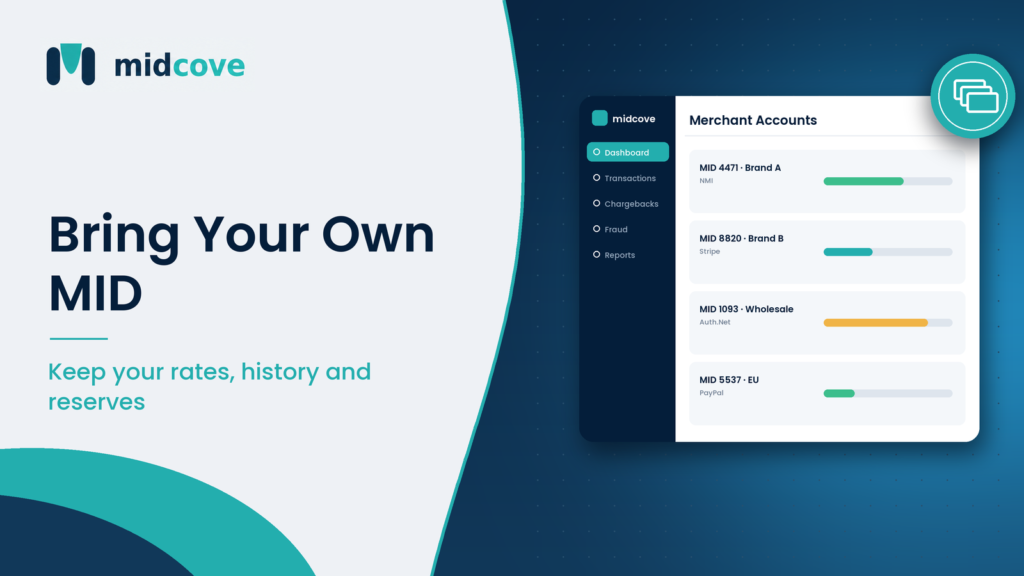
Bring your own MID means using a payments platform with the merchant account (MID) you already hold, instead of opening a new one through the platform. You keep your acquirer, rates, reserve terms, and processing history. The software connects to your existing gateway using API credentials and manages payments on top of it.
Table of Contents
What Bring Your Own MID Means
A merchant identification number (MID) is the account an acquiring bank assigns to your business so you can accept cards. Behind that number sits a contract: your pricing, your reserve terms, your approved business type, and every month of processing you’ve done.
Many payment tools are sold bundled with a merchant account. You sign up for the software, and the vendor (or a partner bank) underwrites you for a new MID. That’s convenient for a brand-new business with nothing to lose.
Bring your own MID flips the bundle. The software is the product, and the merchant account stays where it is. You connect the tool to the gateway that already serves your MID, whether that’s NMI, Authorize.Net, Stripe, or PayPal, and the tool reads and acts on your transactions through that connection.
Who usually asks for BYO MID
- Established merchants with clean history and good rates they don’t want to renegotiate.
- Higher-risk merchants who fought hard to get approved and can’t risk a second underwriting decline.
- Businesses running several MIDs across different acquirers, who want one tool across all of them.
- ISOs and agents whose merchants are already boarded and shouldn’t be moved.
Why a New MID Can Hurt Your Business
A new MID isn’t just paperwork. To an acquirer, it’s a new risk relationship. Here’s what you give up.
Your processing history resets
Acquirers price and limit you based on track record. Six years of low disputes and steady volume is an asset. A new acquirer sees a merchant with zero history on its books and treats you accordingly, sometimes with lower monthly caps until you prove yourself again.
Reserves can come back
New merchant accounts, especially in higher-risk categories, often start with a rolling reserve, where a share of each day’s sales is held back for months. If your current acquirer released your reserve long ago, a new MID can put cash back on hold. For a business doing $200,000 a month, even a modest holdback ties up meaningful working capital.
Rates may go up
Your current pricing reflects your negotiation and your history. A bundled MID usually comes at the platform’s standard rate card. That might be fine. It might also add tenths of a percent across every transaction, which adds up quickly at volume.
Underwriting can simply say no
Some business models get approved by one acquirer and declined by another. Travel, subscriptions, nutraceuticals, and high-ticket coaching are common examples. Re-applying exposes you to a decline you didn’t need to risk. Our guide on high-risk vs standard merchant accounts explains why categories get treated differently.
Consequences follow the business, not the account
If a new MID is terminated for excessive chargebacks or fraud, the acquirer may have to report your business and its owners to Mastercard’s MATCH list or Visa’s VMSS. According to Stripe’s documentation on terminated merchant files, those listings stay active for five years and most processors reject listed businesses. A bumpy start on an unfamiliar account carries real downside.
Monitoring starts on a smaller base
Card network ratios divide disputes by transactions. A new MID that starts with low volume can see its chargeback ratio spike from a handful of disputes. A mature MID with steady volume absorbs the same disputes far more easily.
How Bring Your Own MID Platforms Connect
There’s no magic. A BYO-MID platform talks to your gateway the same way your website does, through the gateway’s API.
- You create API credentials in your gateway. In NMI that’s a security key. In Authorize.Net it’s an API Login ID and Transaction Key. In Stripe it’s a secret key or a restricted key. PayPal uses a client ID and secret.
- You paste them into the platform. A good tool stores them encrypted and never shows them in full again.
- The platform syncs data. It pulls transactions, settlements, refunds, and dispute notices your gateway exposes.
- Actions go back through the gateway. When you refund or void in the platform, the request runs through your gateway on your MID. Funds never route through the software vendor.
- New charges run on the MID you choose. Through a virtual terminal, plugin, or API, transactions are submitted to the gateway attached to the MID you select.
This is how Midcove connects to NMI, Authorize.Net, Stripe, and PayPal accounts. Because nothing changes at the acquirer level, there’s no new merchant agreement, no new underwriting, and no change to your settlement account. That’s why guided merchant onboarding on a BYO-MID platform can take minutes per account instead of weeks.
What about stored cards and tokens?
If you store cards for subscriptions or repeat customers, those tokens usually live in your gateway’s vault. With BYO MID, they stay there. The platform references them; it doesn’t need to move them. That’s a big contrast with switching processors, where card data has to be migrated vault-to-vault. Stripe’s data migration guide shows how many steps that process involves.
BYO MID vs Platform-Issued MID
Neither model is wrong. They suit different stages of a business.
| Factor | Bring your own MID | Platform-issued MID |
|---|---|---|
| Underwriting | None; existing approval stands | New application and review |
| Processing history | Kept | Starts at zero with the new acquirer |
| Reserve | Current terms unchanged | May be set fresh |
| Rates | Your negotiated pricing | Platform’s rate card |
| Stored card tokens | Stay in your gateway vault | Need migration or customer re-entry |
| Time to go live | Often same day | Days to weeks |
| Best fit | Established or multi-MID merchants | New businesses with no account yet |
If you’re weighing an aggregated account like Stripe’s standard setup against your own dedicated merchant account, our sibling post on own merchant account vs payment facilitator goes deeper on holds, pricing, and control.
Risks and Limits of BYO MID
BYO MID isn’t risk-free. It moves some responsibilities onto you and the software vendor.
API key security
Your gateway credentials can move money. Treat them like a bank password. Use restricted or limited-scope keys where your gateway supports them, rotate them when staff leave, and confirm the vendor encrypts them at rest. The PCI Security Standards Council sets the baseline for how service providers should protect payment data.
Feature gaps by gateway
Each gateway exposes different data through its API. Dispute details, for example, are richer on some gateways than others. A BYO-MID platform can only show what the gateway shares. Ask which features work on which gateway.
Two sources of truth
Your gateway console still exists, and someone on your team will eventually issue a refund there directly. Decide which system is the operational home and train people to use it, or your reports won’t match.
Your acquirer still owns the relationship
The software doesn’t change your merchant agreement. If your acquirer raises your reserve or flags your ratio, the platform can show you the data, but it can’t negotiate for you.
Questions to Ask Before You Connect
Use this list in every vendor call. Vague answers are a signal.
- Do I need to sign a new merchant agreement or submit underwriting documents? (The answer should be no.)
- Which gateways do you support natively today? Is mine one of them?
- Do funds ever pass through your accounts? (They shouldn’t.)
- How are my API credentials stored, and who on your team can access them?
- Can I use restricted keys with only the permissions you need?
- Do my stored card tokens stay in my gateway vault?
- What data syncs: transactions, settlements, refunds, disputes?
- Do you charge per transaction, or a flat software fee? Do processing fees change?
- If I cancel, what happens to my data and my MID? (Your MID should be untouched.)
You can check which gateways a platform supports on its payment gateway integrations page before you even book a call.
A quick scenario
A Riyadh-based training company runs two MIDs: one through an ISO on NMI for corporate invoices and one on PayPal for individual course buyers. It wanted a single view of refunds and disputes. A bundled platform quoted a new merchant account plus a 90-day onboarding review. A BYO-MID tool connected both accounts in an afternoon, and the finance team kept the NMI pricing their ISO had negotiated.
Key Takeaways
- Bring your own MID means using software with your existing merchant account, so no new underwriting is required.
- A new MID can reset your history, reintroduce reserves, raise rates, or end in a decline.
- BYO-MID platforms connect through your gateway’s API; money keeps flowing through your gateway and acquirer.
- Stored card tokens stay in your gateway vault, which avoids a painful data migration.
- The main risks are API key security, gateway feature gaps, and teams working in two systems.
- Ask every vendor whether funds touch their accounts and whether your merchant agreement changes.
Frequently Asked Questions
What does BYOM or BYO MID mean in payments?
It means bring your own merchant ID. A software platform lets you connect the merchant account you already have instead of opening a new one through the vendor. Your acquirer, rates, and history stay the same, and the platform works through your existing gateway’s API.
Can I use my existing merchant account with new payment software?
Usually, yes, if the software supports your gateway. You generate API credentials in your gateway account and connect them to the new tool. Check native support first, since a platform that only works with its own bundled merchant account can’t connect yours.
Will I need to be underwritten again?
Not with a true BYO-MID platform. Underwriting is done by the acquirer that issued your MID, and that relationship doesn’t change. If a vendor asks for bank statements and a new merchant agreement, they’re issuing a new account, not connecting yours.
Does bring your own MID change my processing rates?
No. Your processing fees are set by your agreement with your processor or ISO and are charged by your gateway and acquirer. The software usually charges a separate subscription. Confirm the vendor doesn’t add per-transaction markups on top.
Is it safe to give a platform my gateway API keys?
It can be, with the right controls. Use limited-permission keys where your gateway offers them, confirm the vendor encrypts credentials at rest, restrict internal access, and rotate keys when people leave. Avoid any vendor that asks for your gateway login password instead of API keys.
What happens to my stored cards with BYO MID?
They stay tokenized in your gateway’s vault. The platform charges stored cards by referencing those tokens through the gateway API. Because nothing moves, you avoid the vault-to-vault migration that switching processors requires.
Can I bring more than one MID?
Many platforms support several MIDs side by side, sometimes across different gateways. Plans are often priced by the number of MIDs connected. This is useful for businesses with separate brands, regions, or risk profiles.
Why do new merchant accounts have reserves?
A reserve protects the acquirer against chargebacks and refunds it might have to cover if the business fails. With no history to judge, acquirers often hold back part of each day’s sales for a set period. Established accounts with clean records commonly have reserves reduced or removed.
What if I leave a BYO-MID platform?
Your MID keeps working because it was never tied to the software. You disconnect the API keys, export your data, and keep processing through your gateway. Ask up front about export formats so your history doesn’t get stuck.
Keep the History You Earned
A clean processing record, released reserves, and negotiated rates take years to build. Opening a new merchant account just to use a piece of software throws that away for convenience. Bring your own MID keeps the asset where it belongs, with your acquirer, and lets the software do its actual job.
Before you sign anything, ask two questions: does this require a new merchant agreement, and does money pass through the vendor? If either answer is yes, you’re buying a processor, not a tool.
Midcove is built on the bring-your-own-MID model. It connects to your existing NMI, Authorize.Net, Stripe, or PayPal accounts, with no re-underwriting, and most merchants go live the same day. Planning a move from another tool? Our sibling guide on how to switch payment CRMs without losing your MID covers the cutover.
Connect the MID you already have
Keep your rates, reserves, and processing history. Midcove sits on top of your existing gateway and gives your team one place to run payments.